
Built for Canadian restaurants
One restaurant POS.The whole operation.
Take orders, process payments, route tickets, manage direct ordering, and see what happened during service from one connected platform.
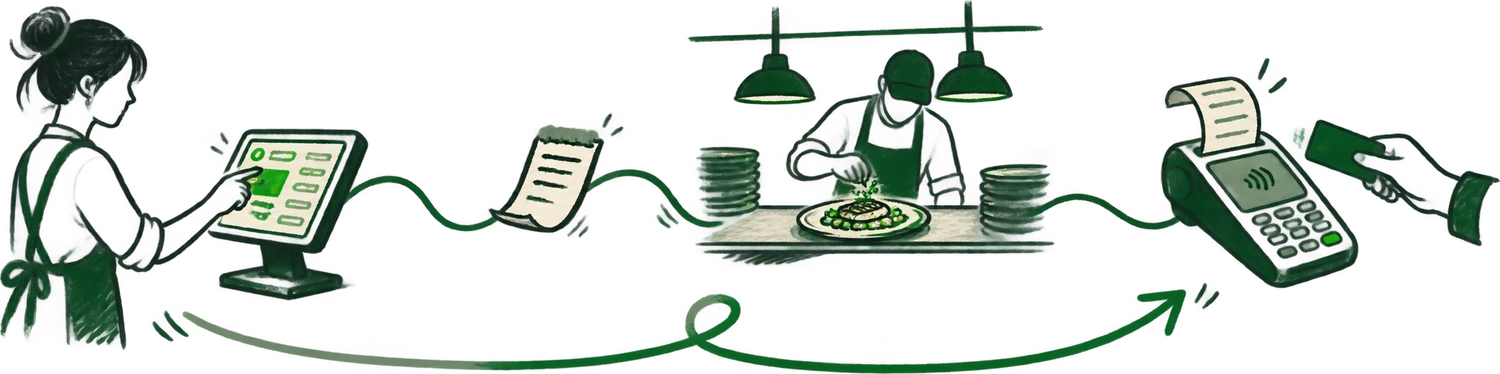
- 7:02pm · They reserve online. Your host already expects them.
- 7:05pm · Their booking becomes Table 1.
- 7:14pm · Fired to kitchen.
- 7:19pm · The kitchen starts the ticket.
- 7:26pm · Delivery orders land on the same screen.
- 8:41pm · Payment is taken tableside.
- 8:47pm · The visit becomes part of their guest history.
The operating flow
Fewer handoffs. Fewer places to check.
Orders
Dine-in, pickup, direct, and supported delivery orders enter a clear operating flow.
Kitchen
Route the right items to the right station without re-entering the ticket.
Payments
Connect payment workflows and reduce manual amount entry at the terminal.
Reporting
Review sales and service activity without rebuilding the story from separate systems.
Built around service style
Choose the workflow that resembles your restaurant.
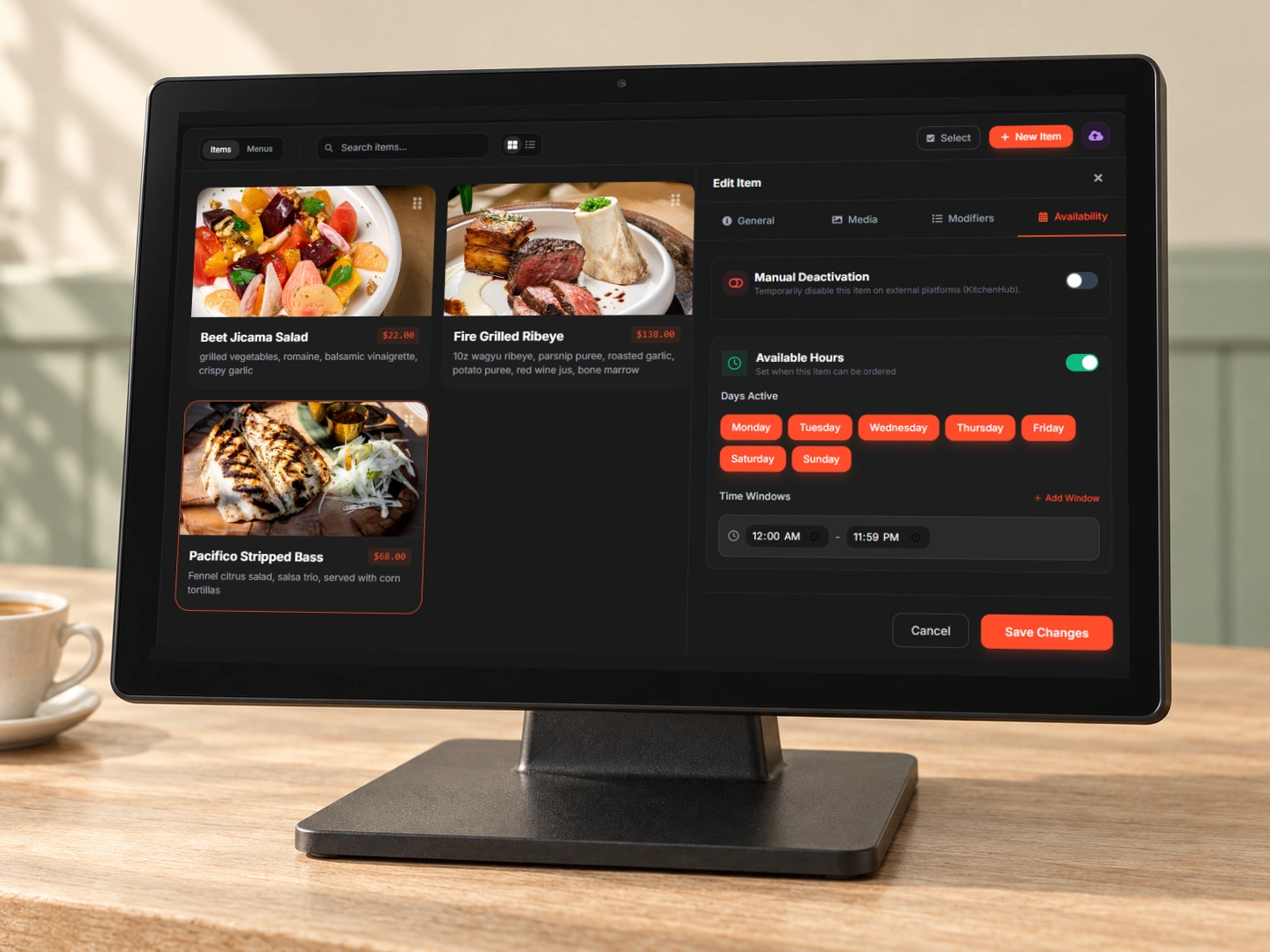
Menu management
Set when each item is available.
Keep menu items, prices and availability together. Choose the days and hours an item can be ordered from the same screen.
See your menu in DashiRestaurant POS questions
What should a Canadian restaurant POS include?
A practical restaurant POS should handle dine-in and off-premise orders, payments, kitchen routing, menus, staff permissions, reporting, taxes, and support. The right setup depends on service style, order volume, locations, and existing payment agreements.
Can Dashi work with Moneris payments?
Yes. Dashi supports integrated Moneris payment workflows that send the bill amount from the POS to the payment terminal, reducing manual entry and reconciliation errors.
Does Dashi support online and delivery orders?
Yes. Dashi can bring direct online orders and supported delivery channels into the same operating flow used by the restaurant team and kitchen.
Is Dashi only for Toronto restaurants?
No. Dashi is built in Toronto for Canadian restaurant operators. Availability, installation, hardware, and support requirements are confirmed during the setup conversation.
See the full workflow